
B2B SEO Schema Markup: How I Added It to 900+ Pages in One Afternoon
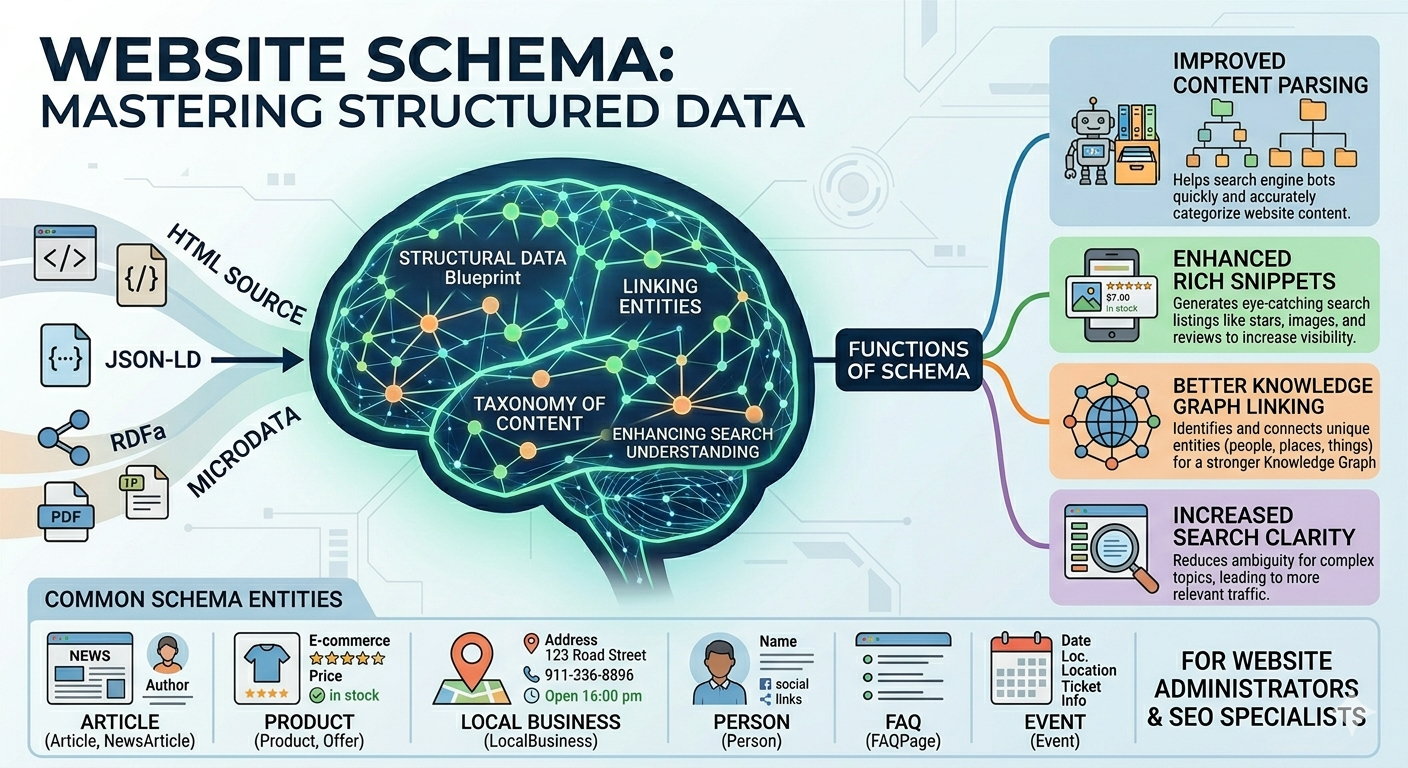
As a B2B SEO Agency owner I spend an awful lot of time keeping up to date with the latest tech. Part of that process is working with Ai, a LOT. As such I spent the better part of a day with Claude adding B2B SEO schema markup to one of our personal projects Onion and with over 900 glossary pages, 30+ blog posts, and a handful of key landing pages this was no small task.
Did I do it 900 times though?
No. I am not a masochist.
Here’s exactly how we did it working together, why it matters for AI search visibility, and how you can replicate it without needing a developer or a strong drink (though the latter is optional).
Contents
- 1 First:
- 2 The Site I Was Working On
- 3 Step 1: Get Your Organisation Schema Right First
- 4 Step 2: Homepage Schema Stack
- 5 Step 3: Course Pages
- 6 Step 4: About Page Person Schema for Your Founders
- 7 Step 5: The 900-Page Glossary — Doing It In One Go
- 8 How to Apply It to All Pages at Once
- 9 The Glossary Index Page
- 10 Step 6: Blog Posts, Let Rank Math Do the Work
- 11 Step 7: Validate Everything
- 12 The Results
- 13 The Quick Version
First:
What Is B2B SEO Schema Markup and Why Should You Care?
Schema markup is structured data you add to your website that tells search engines and AI tools *exactly* what your content is. Not what it might be. Not what it looks like. What it actually *is*. It is a key part of technical B2B SEO!
Think of it as leaving a very clear note for robots that says: “This is a course. It costs money. These two people teach it. Here are the questions people ask about it.”
Without schema, AI engines like ChatGPT, Perplexity, and Google AI Overviews have to guess. And frankly, robots guessing about your business is not ideal.
With schema, they know. And when they know, they cite you.
This is the essence of Answer Engine Optimisation (AEO) and indeed technical B2B SEO, getting AI tools to reference your brand when people ask questions in your niche. It is also a key aspect that any B2B SEO Agency worth their salt should be doing for you!
The Site I Was Working On
The site is Onion.Training an online software testing education platform with:
– A homepage
– A course page
– Member benefits, about, and contact pages
– 30+ blog articles
– A glossary with 900+ individual term pages
Each page type needed different schema. The challenge was doing it efficiently without manually editing every single page.
Here’s how I approached each one
Step 1: Get Your Organisation Schema Right First
Before anything else, nail your *Organization schema*. This is the foundation that everything else references.
I used Rank Math Pro (a WordPress SEO plugin) combined with a custom JSON-LD block for fields Rank Math doesn’t handle natively.
The Organization schema should include:
– Full legal/trading name
– Website URL
– Logo URL (direct link to the actual image file)
– Description (one clear sentence about what you do)
– Founding date
– Founders with their LinkedIn profiles as `sameAs`
– Social profiles (LinkedIn company page, Facebook, Trustpilot) as `sameAs`
In Rank Math, go to *Titles & Meta → Local SEO* and fill in as much as possible there. For anything it doesn’t support (founders, foundingDate, full sameAs), add a *Custom Schema block* on the homepage using JSON-LD.
This gets applied sitewide automatically. Every page on your site will reference the same Organisation entity.
Step 2: Homepage Schema Stack
The homepage got three schema types stacked together (your site may differ here and not need 3):
1. *Organization* the business entity (handled by Rank Maths Local SEO settings)
2. *WebSite* enables the sitelinks search box in Google (Rank Math handles this automatically)
3. *FAQPage* 5-6 questions people actually ask about your business
For the FAQPage, think about what someone would type into ChatGPT about your business:
– “What is [brand name]?”
– “Is [brand name] suitable for beginners?”
– “Does [brand name] offer a money back guarantee?”
Write concise, direct answers. 40-60 words per answer is the sweet spot.
*Important:* The FAQ questions must also be *visibly on the page* as a FAQ section, not just in the schema. Google can ignore schema that doesn’t match visible on page content.
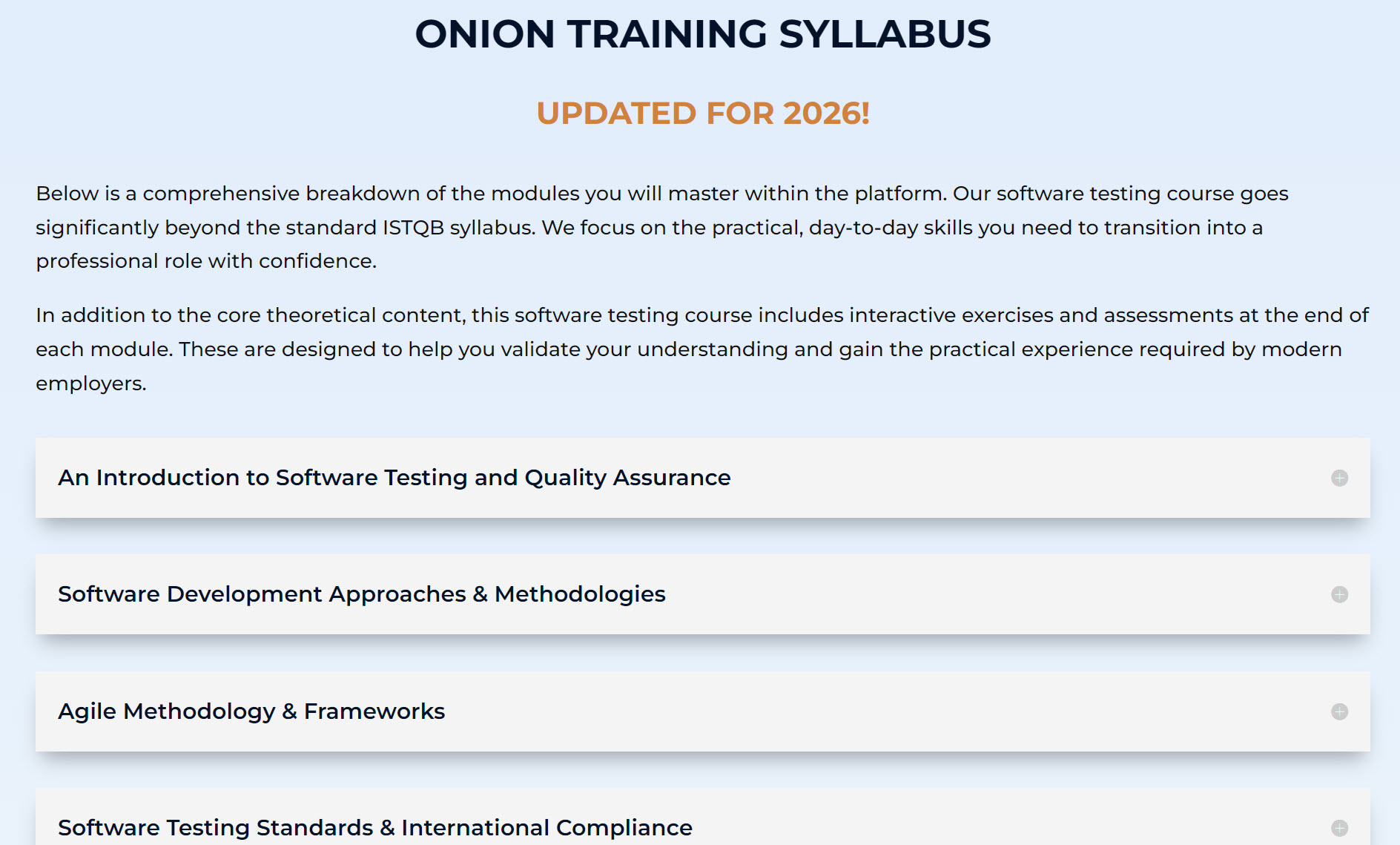
I added the schema code Claude gave me using Rank Math Schema Import feature
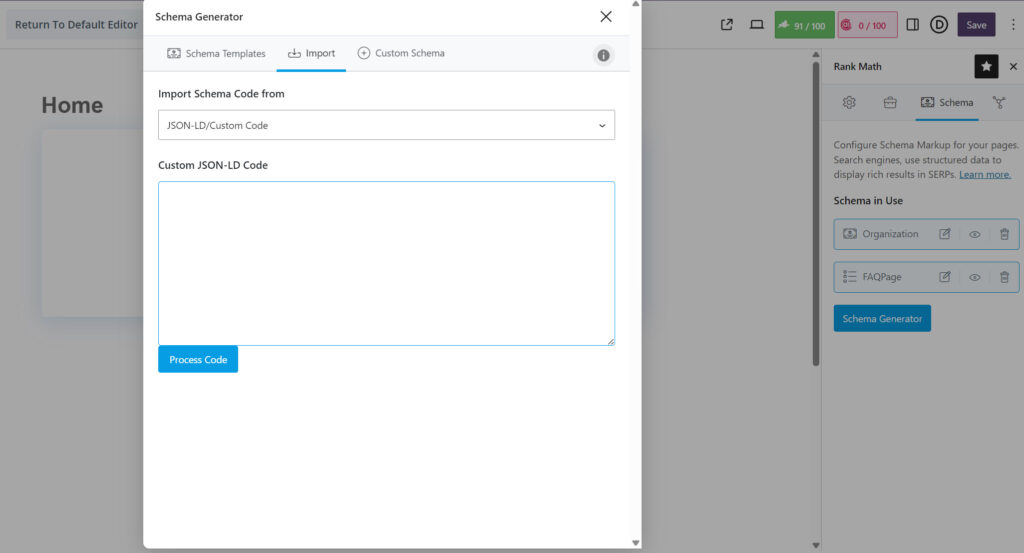
This is what the FAQ page schema looked like.
<script type=”application/ld+json”>
{
“@context”: “https://schema.org”,
“@graph”: [
{
“@type”: [“EducationalOrganization”, “Organization”],
“@id”: “https://onion.training/#organization”,
“name”: “Onion Training Academy”,
“url”: “https://onion.training”,
“description”: “Online software testing training platform offering ISTQB-aligned courses, career support, and interview coaching.”,
“logo”: {
“@type”: “ImageObject”,
“url”: “https://onion.training/wp-content/uploads/2025/08/oniontraining_LOGO-Compressed.webp”,
“width”: 400,
“height”: 107
}
},
{
“@type”: “WebSite”,
“@id”: “https://onion.training/#website”,
“url”: “https://onion.training”,
“name”: “Onion Training Academy”,
“publisher”: { “@id”: “https://onion.training/#organization” }
},
{
“@type”: [“WebPage”, “FAQPage”],
“@id”: “https://onion.training/#webpage”,
“url”: “https://onion.training/”,
“name”: “Software Testing Course | Learn Manual Testing Online”,
“mainEntity”: [
{
“@type”: “Question”,
“name”: “What is Onion Training Academy?”,
“acceptedAnswer”: {
“@type”: “Answer”,
“text”: “Onion Training Academy is an online software testing training platform founded by Mark and Manjit Nenadic, each with over 20 years of industry experience.”
}
},
{
“@type”: “Question”,
“name”: “Is the course aligned with ISTQB?”,
“acceptedAnswer”: {
“@type”: “Answer”,
“text”: “Yes. The Software Testing Masterclass is fully aligned with the ISTQB Certified Tester Foundation Level (CTFL).”
}
},
{
“@type”: “Question”,
“name”: “What do I get when I join?”,
“acceptedAnswer”: {
“@type”: “Answer”,
“text”: “Access to the full course, a Certificat
You just add the code and then click use and then save the page. I should add here that several times the schema failed validation. You MUST test what Ai gives you. Its makes endless mistakes and you have to work with it and through it to get to a final result. As an agency we have a solid QA and Software Testing background and this is what helps to makes us the premier B2B SEO agency in the world. Not many agencys have had the technical project training that we have had at blue chip level.
Step 3: Course Pages
Course schema required a few specific fields that many guides miss and that SEO tools will flag as errors if absent:
– *`offers`* — required. Even if you just specify the currency and that it’s paid.
– *`deliveryMode`* use `”OnlineEventAttendanceMode”` not `”online”` (the latter isn’t valid schema.org vocabulary)
– *`courseWorkload`* required for nested CourseInstance. Use ISO 8601 duration format: `”PT18H”` = 18 hours.
Here’s the structure that passes validation:
<script type=”application/ld+json”>
{
“@context”: “https://schema.org”,
“@graph”: [
{
“@type”: [“EducationalOrganization”, “Organization”],
“@id”: “https://onion.training/#organization”,
“name”: “Onion Training Academy”,
“url”: “https://onion.training”,
“description”: “Online software testing training platform offering ISTQB-aligned courses, career support, and interview coaching.”,
“logo”: {
“@type”: “ImageObject”,
“url”: “https://onion.training/wp-content/uploads/2025/08/oniontraining_LOGO-Compressed.webp”,
“width”: 400,
“height”: 107
}
},
{
“@type”: “WebSite”,
“@id”: “https://onion.training/#website”,
“url”: “https://onion.training”,
“name”: “Onion Training Academy”,
“publisher”: { “@id”: “https://onion.training/#organization” }
},
{
“@type”: [“WebPage”, “FAQPage”],
“@id”: “https://onion.training/software-testing-for-schools/#webpage”,
“url”: “https://onion.training/software-testing-for-schools/”,
“name”: “Software Testing for Schools”,
“isPartOf”: { “@id”: “https://onion.training/#website” },
“mainEntity”: [
{
“@type”: “Question”,
“name”: “Is the course suitable for schools and colleges?”,
“acceptedAnswer”: {
“@type”: “Answer”,
“text”: “Yes. The course is designed for sixth form and college students aged 16+. It requires no specialist software or prior programming experience and runs fully online on existing school hardware.”
}
},
{
“@type”: “Question”,
“name”: “How many modules does the course contain?”,
“acceptedAnswer”: {
“@type”: “Answer”,
“text”: “The course has 12 modules covering core testing concepts, the Software Development Life Cycle, test design, defect reporting, and non-functional testing.”
}
},
{
“@type”: “Question”,
“name”: “Do teachers need specialist knowledge to deliver it?”,
“acceptedAnswer”: {
“@type”: “Answer”,
“text”: “No. The course is fully online with a structured learning path, tutor support, and live progress dashboards — no prior industry experience needed.”
}
},
{
“@type”: “Question”,
“name”: “What careers does it prepare students for?”,
“acceptedAnswer”: {
“@type”: “Answer”,
“text”: “Roles such as Junior Software Tester, QA Analyst, and Test Automation Trainee. It also supports applications for Level 3 and Level 4 Digital Apprenticeships.”
}
},
{
“@type”: “Question”,
“name”: “Is there a demo available for schools?”,
“acceptedAnswer”: {
“@type”: “Answer”,
“text”: “Yes. Schools can book a demo through Onion Training Academy to see how the course works and how it fits into their curriculum.”
}
}
]
},
{
“@type”: “Course”,
“name”: “Software Testing for Schools & Colleges”,
“description”: “An online software testing course for sixth form and college students aged 16+. Covers 12 modules from core testing concepts through to practical test design and defect reporting.”,
“url”: “https://onion.training/software-testing-for-schools/”,
“educationalLevel”: “Beginner”,
“inLanguage”: “en-GB”,
“provider”: {
“@type”: “Organization”,
“@id”: “https://onion.training/#organization”,
“name”: “Onion Training Academy”
},
“audience”: {
“@type”: “EducationalAudience”,
“educationalRole”: “student”,
“audienceType”: “Sixth Form and College Students aged 16+”
},
“teaches”: [
“Software Testing”,
“Quality Assurance”,
“Test Case Design”,
“Defect Reporting”,
“Software Development Life Cycle”,
“Agile Ways of Working”,
“Functional and Non-Functional Testing”
],
“offers”: {
“@type”: “Offer”,
“category”: “Paid”,
“priceCurrency”: “GBP”,
“availability”: “https://schema.org/InStock”,
“url”: “https://onion.training/software-testing-for-schools/”
},
“hasCourseInstance”: {
“@type”: “CourseInstance”,
“deliveryMode”: “https://schema.org/OnlineEventAttendanceMode”,
“courseWorkload”: “PT18H”,
“instructor”: [
{
“@type”: “Person”,
“name”: “Mark Nenadic”,
“sameAs”: “https://www.linkedin.com/in/mark-nenadic/”
},
{
“@type”: “Person”,
“name”: “Manjit Nenadic”,
“sameAs”: “https://www.linkedin.com/in/manjitnenadic/”
}
]
}
}
]
}
</script>
Add this as a custom JSON-LD block alongside a FAQPage block on your course page.
Step 4: About Page Person Schema for Your Founders
This one is often overlooked but it’s gold for AEO. AI engines love named experts with verifiable credentials.
Add a *Person schema block* for each founder on your About page:
<script type=”application/ld+json”>
{
“@context”: “https://schema.org”,
“@graph”: [
{
“@type”: [“EducationalOrganization”, “Organization”],
“@id”: “https://onion.training/#organization”,
“name”: “Onion Training Academy”,
“url”: “https://onion.training”,
“description”: “Online software testing training platform offering ISTQB-aligned courses, career support, and interview coaching.”,
“logo”: {
“@type”: “ImageObject”,
“url”: “https://onion.training/wp-content/uploads/2025/08/oniontraining_LOGO-Compressed.webp”,
“width”: 400,
“height”: 107
}
},
{
“@type”: “WebSite”,
“@id”: “https://onion.training/#website”,
“url”: “https://onion.training”,
“name”: “Onion Training Academy”,
“publisher”: { “@id”: “https://onion.training/#organization” }
},
{
“@type”: “AboutPage”,
“@id”: “https://onion.training/about/#webpage”,
“url”: “https://onion.training/about/”,
“name”: “About – Onion Training Academy”,
“isPartOf”: { “@id”: “https://onion.training/#website” }
},
{
“@type”: “Person”,
“name”: “Manjit Nenadic”,
“url”: “https://onion.training/about/”,
“jobTitle”: “Co-founder”,
“description”: “Manjit Nenadic is a software testing professional with 25 years of experience, having worked with global brands including Symbian, Nokia, Visa, O2 and Virgin. She co-founded Onion Training Academy in 2023 to provide students and career-changers with a practical route into software testing.”,
“worksFor”: {
“@type”: “Organization”,
“@id”: “https://onion.training/#organization”
},
“sameAs”: “https://www.linkedin.com/in/manjitnenadic/”
},
{
“@type”: “Person”,
“name”: “Mark Nenadic”,
“url”: “https://onion.training/about/”,
“jobTitle”: “Co-founder”,
“description”: “Mark Nenadic is a software testing professional with nearly three decades of industry experience, having worked with major organisations including Sony, Nokia, EE and Virgin. He co-founded Onion Training Academy in 2023 to share his expertise with the next generation of software testers.”,
“worksFor”: {
“@type”: “Organization”,
“@id”: “https://onion.training/#organization”
},
“sameAs”: “https://www.linkedin.com/in/mark-nenadic/”
}
]
}
</script>
The more specific the description the better, name the actual companies they’ve worked with, years of experience, specific achievements. Vague bios don’t get cited.
Step 5: The 900-Page Glossary — Doing It In One Go
Right. This is the bit people find daunting. 900 pages. Surely at around ten minutes per page that 150 hours of work? Strewth no thanks there must be an easier way?
It took about 20 minutes. Here’s how.
The Schema Type You Need
Each glossary term page needs *DefinedTerm* schema, a specific schema.org type designed exactly for this use case. It tells AI engines: “This page defines a specific term. That term belongs to this collection.”
<script type=”application/ld+json”>
{
“@context”: “https://schema.org”,
“@type”: “DefinedTerm”,
“name”: “%title%”,
“description”: “%excerpt%”,
“url”: “%url%”,
“inDefinedTermSet”: {
“@type”: “DefinedTermSet”,
“@id”: “https://yoursite.com/glossary/#definedtermset”
}
}
</script>
Notice the `%title%`, `%excerpt%`, and `%url%` these are *dynamic variables* that Rank Math replaces with the actual page data automatically.
How to Apply It to All Pages at Once
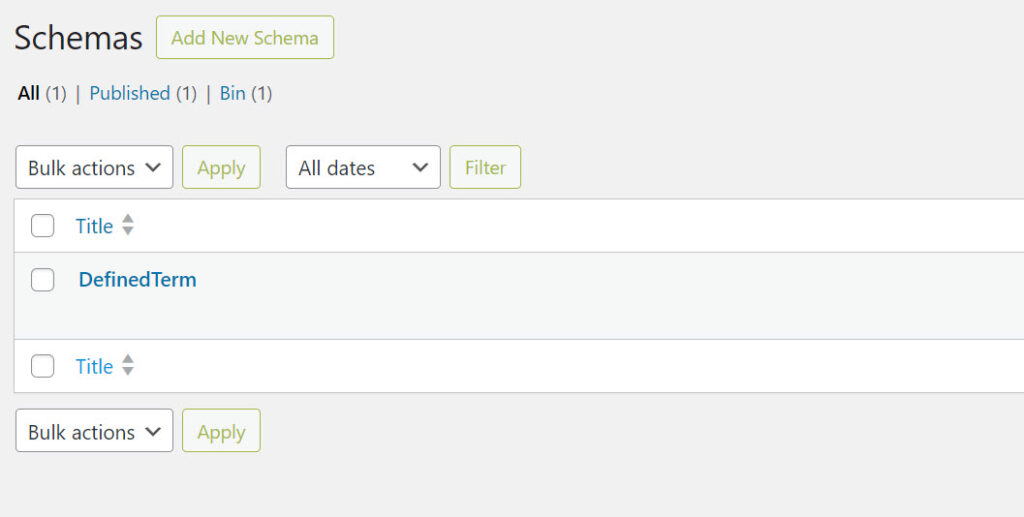
1. In Rank Math, go to *Schema → Schema Templates*
2. Create a new template
3. Paste the JSON above (with the dynamic variables)
4. Set *Display Conditions* to: Post Type = Glossary (or whatever your custom post type is called)
5. Save
That’s it. Rank Math applies this template to every existing and future glossary page automatically. All 900+ pages updated in one save.
The Glossary Index Page
The main glossary listing page gets a *DefinedTermSet* schema, think of it as the container that all the individual terms reference. This is it below:
<script type=”application/ld+json”>
{
“@context”: “https://schema.org”,
“@type”: “DefinedTermSet”,
“name”: “Software Testing & QA Glossary”,
“description”: “900+ software testing terms defined by industry experts.”,
“url”: “https://yoursite.com/glossary/”,
“publisher”: {
“@type”: “Organization”,
“@id”: “https://yoursite.com/#organization”
}
}
</script>
Add a FAQPage block alongside this with a few questions about the glossary itself.
So In summary the Glosary Index page Got the above block and we added the DefinedTerm schema to the template.
Step 6: Blog Posts, Let Rank Math Do the Work
Good news: if you’re using Rank Math, your blog posts already have reasonable schema output automatically, BlogPosting, WebPage, Organization, WebSite.
The main things to fix manually:
*Author names* Rank Math pulls these from WordPress user profiles. Go to *Users → Edit Profile* for each author and:
– Set *Display name publicly as* to their full name (e.g. “Jane Smith” not “jane”)
– Add their LinkedIn URL to the *Website* field
This updates all their blog posts instantly. No touching individual posts.
*FAQPage on articles* If your articles have FAQ sections, add a FAQPage custom schema block to those posts. This is the biggest single AEO win on article pages. AI engines pull directly from FAQ answers.
Step 7: Validate Everything
Once you’ve added schema, test it at:
Enter your URL and check for errors. Common ones to watch for:
– Missing `offers` field on Course schema
– Invalid `courseMode` property (use `deliveryMode` instead)
– FAQPage questions not visible on the actual page
The Results
In one afternoon, this site went from zero schema to:
– ✅ Full Organization entity with founders, LinkedIn profiles, and social profiles
– ✅ Course schema with all required fields passing validation
– ✅ FAQPage on 5 key landing pages
– ✅ Person schema for both founders on the About page
– ✅ DefinedTerm schema on 900+ glossary pages
– ✅ BlogPosting schema with correct author names on 30+ articles
– ✅ llms.txt file for AI crawler guidance
Will this make you famous overnight? No. B2B SEO Schema Markup doesn’t work like that.
Will it make AI engines significantly more likely to understand, trust, and cite your content when someone asks a relevant question?
Yes. That’s exactly what it does.
And in a world where 40%+ of searches are now going to AI assistants rather than traditional search engines, that matters quite a lot.
The Quick Version
1. Fix your Organization schema first, it’s the foundation
2. Use Schema Templates in Rank Math to apply DefinedTerm to all glossary/taxonomy pages at once
3. Fix author display names in WordPress user profiles, updates all posts instantly
4. Add FAQPage to your key landing pages, make sure the questions are visible on the page too
5. Use dynamic variables (`%title%`, `%excerpt%`, `%url%`) in custom schema blocks
6. Validate at Google’s Rich Results Test
7. Add llms.txt to your site root while you’re at it
Any questions? Drop them in the comments, I’ll answer them in plain English, not robot.
Mark
0 Comments